


Log in to the online catalogue (or other MZK applications) with your library card number or your nickname and password that you entered when you registered (more below).
For easier logging in, we recommend setting up a nickname, which you can then use instead of a long library card number.
What are my login credentials?
- login: the number on the library card including leading zeros or a nickname you have chosen yourself
- password: if you don't know your password, see below for instructions
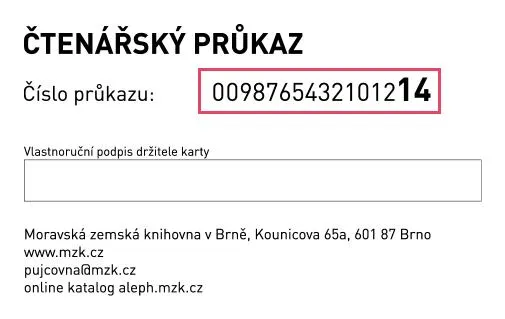
I don't know the login (reader barcode):
- in the online catalogue / LOGIN select the option "Card number recovery" and follow the instructions
I don't know the password (PIN)
- in the online catalogue / LOGIN select the option „Password recovery“ and follow the instructions
You can use our self-service:
- copy in black & white and colour
- print in black and white (MZK_cernobila_MyQ) and colour (MZK_barevna_MyQ) from computers located in the study rooms
- for printing and copying you need a library card with a charged credit
- credit can be deposited at the Registration and Circulation desk on the ground floor (minimum balance is 16 CZK)
- you can only copy and print for personal use from the MZK, up to A3 format; you can select "single/ double-sided B&W" on the printer touch screen, in which case a copy is made immediately without the need to enter further options
- you can monitor your account status on myq.mzk.cz, the system allows you to:
- track your printing history, when, how much and for how much you have printed
- cancel prints sent for printing
- Fees and Services Pricelist
Printers/copiers can be found in:
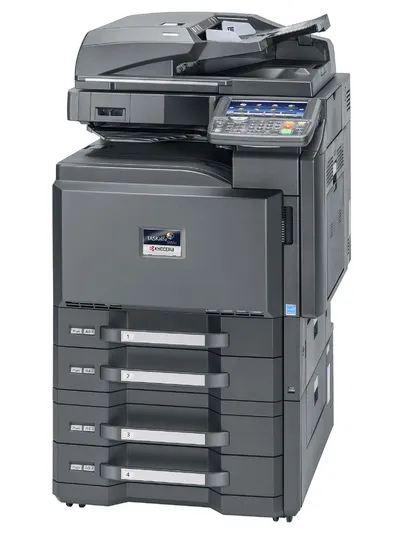
- Loan department / ground floor
- Foreign libraries / 2nd floor
- Periodicals reading room / 2nd floor
- Humanities study room / 4th floor
- Science, technology and medicine study room / 6th floor
Other services:
- digital copies from historical collections can be ordered in the Manuscripts and Early Printed Books Study Room / 4th floor
- digital copies of copyright free works" (published more than 75 years after the author's death) can be ordered through the EOD service - order directly from the online catalogue
- Fees and Services Pricelist
After logging in to the online catalogue in My Account > Profile > "Change email" or in person at the circulation desk.
Do you have any outstanding fines with us, but don't have a way in? Now you don't have to go to the Moravian Library in person - we accept online credit card payments through our online catalogue. If you pay through the payment gateway, the fine is immediately deleted from your account and your block is also removed within 5 minutes. You can therefore check immediately in your account whether the payment has been made in order, and you can also order and borrow books almost immediately.
How do I do that?
- Log in to the online catalogue
- Click on "Fines" in your account menu
- Click on "Pay your fine fees online" link
You will then be redirected to a payment gateway where you will enter your card number, card expiry date and verification code.
For now, online payments only work for paying fines for late returned books. You can pay fines (online and offline) for books that have already been returned (directly at the circulation desk or in the bibliobox). Do you have a book that has not been returned on time? Return it as soon as possible. A late fee is charged for each additional day (5 CZK for each book per day).
